
Flux Prompt Guide: Master Realism & Logic with Flux Prompts
Unlock the specific power of Flux.1. Stop using old-school 'tag lists' and learn how to write natural, logic-driven Flux prompts. This easy-to-follow guide explains powerful tricks—from the 'Filename Hack' for raw realism to 'Logic Containment' for precise editing—helping you create images that no one will believe are AI.
Upload Image → Get Your Flux PromptWhat makes a Flux Prompt unique?

A Flux prompt is completely different from the keyword salads used in older AI models. Think of it this way: Older models were like a toddler grasping at single words ('cat', 'blue', 'outside'). Flux is more like a smart human assistant. It uses a 'Dual Brain' system: one part (CLIP) is an artist that understands style, while the other part (T5) is a writer that understands complex sentences, logic, and relationships.
This means you don't need 'code words' like 'masterpiece' or '8k' anymore. Instead, you just need to talk to it. Explain exactly what you want, where things are, and why they are there. If you tell Flux 'a cup is on the table because someone left it there', it understands the context. Writing a good Flux prompt is less about finding magic words and more about describing a scene clearly, layer by layer, just as you would to a painter standing in front of you.
Our specific strength at Imgtoprompt is that we don't just tag your photos. We translate them. When you upload a reference image, our AI rebuilds the visual story into the fluid, story-like sentences that Flux's 'writer brain' loves most. This ensures that the generated image follows not just the style, but the actual logic of your original idea.
Workflow: How to create perfect Flux Prompts from images
- Visual Logic Analysis: Upload any image to Imgtoprompt. We look beyond simple objects. We analyze the 'why' and 'how'—the lighting direction, the camera lens choice, and the physical relationship between objects. This 'context' is the secret sauce for Flux.
- Natural Language Translation: We turn those visuals into a coherent story. We strip away the confusing 'quality tags' that Flux ignores and replace them with rich, active descriptions. This gives you a clean, readable paragraph that tells the model exactly what to build.
- Smart Hack Integration: If your image looks like a casual photo, we might automatically insert a 'Filename Hack' (like IMG_1234.JPG) into the prompt. This tiny text trigger tells Flux to stop being 'perfect' and start being 'realistic', mimicking phone camera noise and natural focus.
- Easy Editing: Because the result is a normal English paragraph, you can edit it easily. Want to change the time of day? Just find the sentence about lighting and change 'morning' to 'sunset'. The rest of the image logic stays perfectly intact, without breaking like older models often did.
Proven Flux Prompt Templates & Formulas (With Examples)
The Layered Narrative (For High Details)
Positive
Formula: [Who is it?] + [What do they look like?] + [What are they wearing?] + [Where are they?] + [What is the lighting?] + [Technical Camera Settings] Why it works: Flux builds images in layers. By establishing the 'Who' first, you anchor the scene. Then you layer on details, location, and finally lighting. This logical order minimizes errors where the background accidentally merges with the person. Example: 'A waist-up portrait of a 30-year-old ceramicist. She has clay-smeared hands and a focused look. She wears a coarse linen apron over a wool sweater. She is shaping a vase on a spinning wheel in a sun-drenched rustic workshop. Dust motes dance in the warm afternoon light from a window. Shot on 35mm film.'
The 'Filename Hack' (For Amateur Realism)
Positive
Formula: [Fake File Name] + [Candid Description] Why it works: Flux was trained on the entire internet, including millions of unedited family photos that usually have filenames like 'IMG_1234.JPG'. Starting your prompt with this filename tricks the model into thinking, 'Oh, you want a raw, unedited photo, not digital art.' It instantly adds realistic noise, blur, and lighting imperfections. Example: 'IMG_20240512_140221.JPG. A shaky, slightly blurry photo of a friends laughing at a messy dinner table. Pizza boxes are open, grease stains visible. Flash photography, red-eye, candid moment.' (See the generated result below)
The Logic Containment (For Complex Edits)
Positive
Formula: Transform [Subject A] into [New Style], but strictly confine this change to [Subject A]. KEEP [Subject B] UNCHANGED. Why it works: Sometimes you want to mix styles (e.g., a cartoon dog in a real photo). Flux's 'writer brain' (T5) understands logic. by using strong words like 'STRICTLY CONFINED' or 'ONLY', you draw a mental fence around the object you want to change, preventing the style from leaking into the rest of the image. Example: 'A photo of a busy street. A single taxi is made of transparent crystal. The crystal texture is strictly confined to the taxi. The surrounding crowd and buildings remain photorealistic and unchanged. No crystal texture on the road.'
Deep Dive: Flux Prompt Case Studies
Case Study 1: The 'Uncanny' Reality
By using 'IMG_20240512_140221.JPG' combined with 'flash photography', we force Flux to ignore its training to be 'perfect'. It generates imperfection, which our brains interpret as reality.
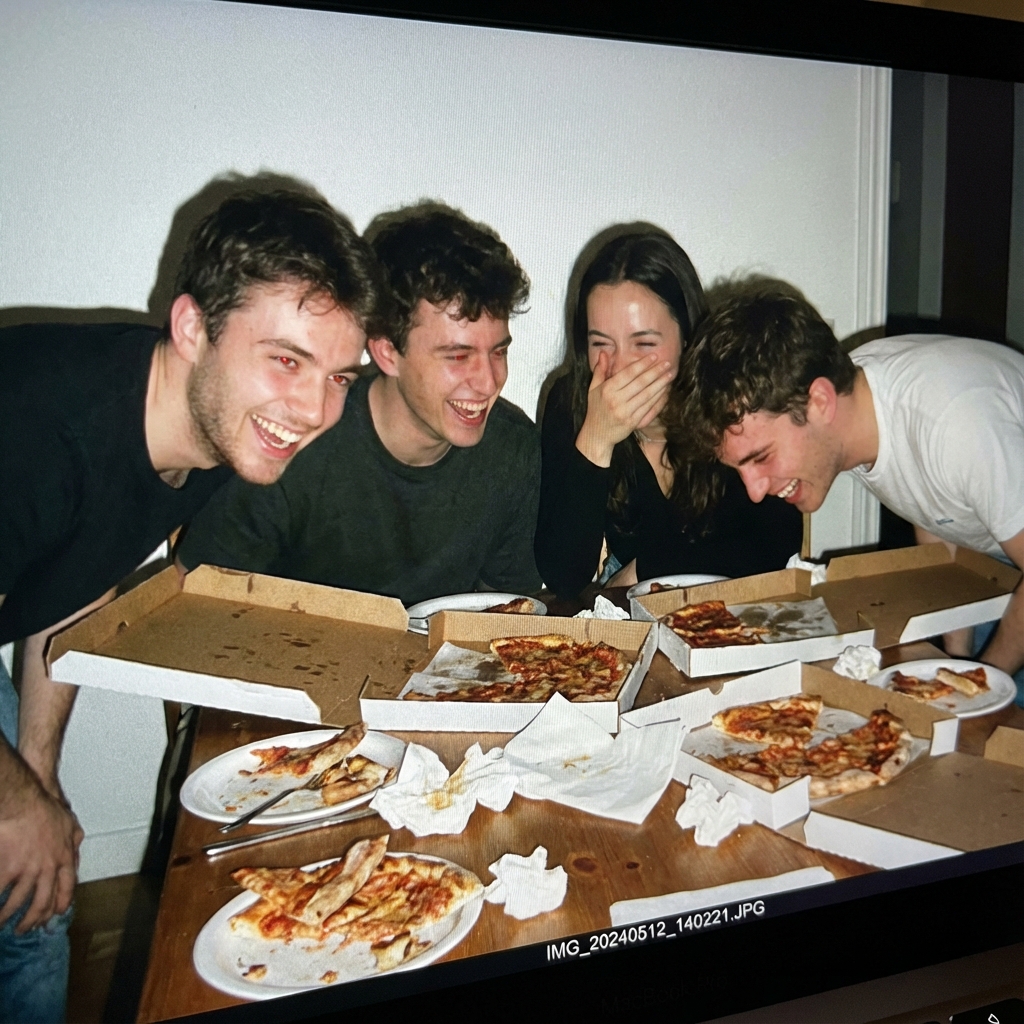
IMG_20240512_140221.JPG. A shaky, slightly blurry photo of a group of friends laughing at a messy dinner table. Pizza boxes are open, half-eaten crusts on plates. Flash photography, harsh shadows, red-eye reduction. candid moment, snapshot aesthetic.
Case Study 2: Precision Text & Texture
Flux is amazing at text. Note how we specify 'serif typography'—the model ensures the text 'CHRONOS' is spelled correctly while also rendering the physical scratch textures on the metal.
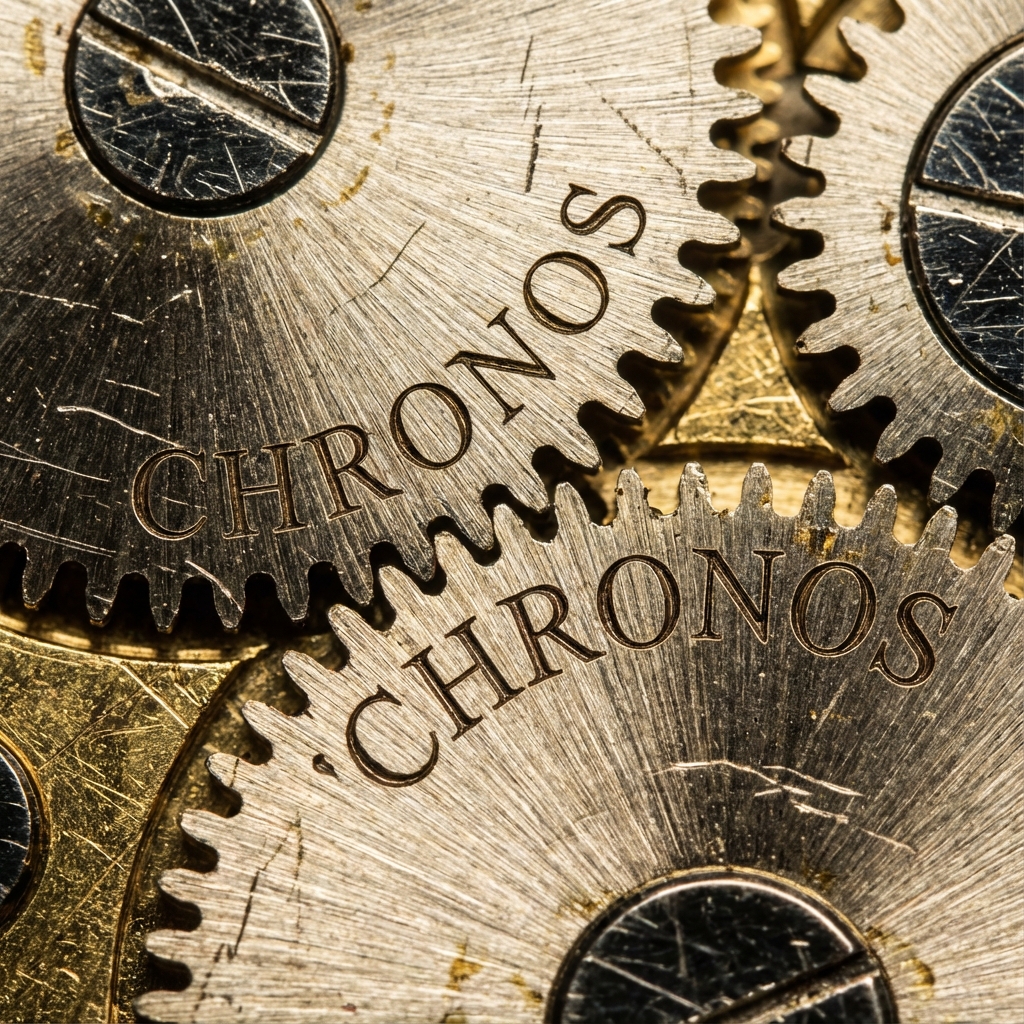
An extreme macro product shot of a high-end mechanical watch. Focus is exclusively on the brass gears. The word 'CHRONOS' is etched into the metal surface in specific serif typography. The metal has microscopic scratches and oil residue.
Case Study 3: Surreal Logic (The Containment Technique)
This tests spatial logic. By commanding that the sofa is 'unaffected', we use the language model's reasoning to hold the smoke content strictly within the cat's silhouette.
A realistic photo of a living room. In the center sits a cat made entirely of billowing white smoke. The smoke maintains the cat's shape perfectly. The red velvet sofa beneath is completely unaffected by the smoke. The smoke does not dissipate.
Frequently Asked Questions: Mastering Flux
Why do my Flux images look 'too smooth' or 'fake'?
This is called the 'AI Plasticity' look. It happens because the model defaults to the 'average' of its training data, which is often polished digital art. To fix this, stop asking for 'perfect lighting' or '4k'. Instead, ask for imperfections: 'film grain', 'motion blur', 'overexposed', 'flash photography', or 'skin texture'. Adding a fake filename like 'IMG_xxxx.JPG' is the fastest way to fix this.
Do I need Negative Prompts in Flux?
Usually, no. Flux understands positive instructions much better. Instead of saying 'no bad hands', just describe the hands clearly: 'hands resting naturally on the lap, distinct fingers'. Tell the model what TO do, rather than what NOT to do.
How do I calculate the Guidance Scale?
Think of Guidance Scale as 'how strictly the model listens'. For Flux, 2.0 - 3.5 is the sweet spot. If you are writing very complex, logic-heavy prompts (like the Logic Containment examples), try lowering it to 1.5 - 2.0. This relaxes the model a bit, allowing it to understand your complex logic without 'frying' the image quality.
Why use Imgtoprompt instead of ChatGPT?
ChatGPT writes great nuances, but Imgtoprompt is specifically tuned for Flux's visual logic. We know exactly which adjectives trigger Flux's style sensors and which ones confuse it. We automate the translation from 'visual idea' to 'optimized prompt', saving you hours of trial and error.
What is the best Flux prompt generator?
While there are many Flux prompt generators available, ImgtoPrompt offers the most accurate image-to-prompt conversion. Simply upload your reference image, and our AI will generate optimized Flux prompts tailored to your specific style. Unlike generic generators, we analyze visual logic, lighting direction, and spatial relationships to create prompts that Flux's T5 encoder truly understands.
Continue Exploring
Ready to Generate Reality?
Don't just generate images; engineer them. Upload your reference image now, and let our engine construct the perfect narrative Flux prompt for you.
Start Flux Workflow