
SDXL Prompt Guide: The Technical Manual for Control
Stable Diffusion XL (SDXL) is not a toy; it's a studio. Unlike other models that guess what you want, SDXL requires precise engineering. Learn how to control its Dual Text Encoders, master the syntax of specific resolution buckets, and use prompt weighting to force the AI to focus on what matters.
Upload Image → Get SDXL PromptUnder the Hood: The CLIP G+L Architecture

SDXL is unique because it uses Two Text Encoders simultaneously (CLIP ViT-L and OpenCLIP ViT-bigG). Think of it as having two brains working in parallel: one focuses on the simple, natural language description of the subject, while the other focuses on abstract concepts, keywords, and artistic styles.
This means your prompts need to satisfy both. A short, punchy sentence settles the 'G' encoder, while a list of specific tags settles the 'L' encoder. Unlike Flux which wants a story, SDXL wants a structured specification. It also respects syntax strictly: using (parentheses:1.2) to increase attention is not a suggestion—it's a mathematical instruction to the model.
Control Board Settings
| Setting | Recommended Value | Why it matters |
|---|---|---|
| Resolution (Buckets) | 1024x1024, 1152x896, 896x1152 | SDXL was trained on specific 'buckets'. Deviating results in burned/cropped images. Stick to standard ratios. |
| Steps | 30-50 | Examples: 30 for speed, 50 for max detail. Going above 50 rarely adds value, just time. |
| CFG Scale | 7.0 - 8.0 | How hard it listens to you. Too high (>9) burns the image. Too low (<5) makes it ignore your prompt. |
| Sampler | DPM++ 2M Karras | The gold standard for SDXL. Fast and detailed. Euler a is softer/faster but less detailed. |
Workflow: The Engineer's Pipeline
- The Base Prompt (Subject): Define the core subject clearly in natural language. 'A robot barista pouring coffee'.
- The Modifier Stack (Style): Add your comma-separated tags for the second encoder. 'cyberpunk, neon lights, 8k, octane render'.
- Weighting Control: Identify the most important element and boost it. If the coffee is missing, change it to '(pouring coffee:1.3)'.
- The Negative Prompt Shield: SDXL needs to be told what not to do. Add your standard negative embedding or list: 'text, watermark, blurry, deformed hands'.
SDXL Prompt Engineering Templates
The Weighting Hack (Focus Booster)
Positive
Formula: (Main Subject:1.2), [Action], [Context], [Style Tags] Why it works: Sometimes SDXL ignores part of your prompt. Putting it in (parentheses) multiples its attention score by 1.1. Adding a number :1.2 or :1.5 forces the model to prioritize that token above all others. Example: '(Red sports car:1.3) drifting on a racetrack, smoke, motion blur, 8k uhd, dslr'
Negative
blue car, slow, parked, cartoon
The 'Break' Technique (Concept Mixing)
Positive
Formula: [Concept A] BREAK [Concept B] Why it works: If you want to mix two distinct colors or concepts without them bleeding into each other (like a blue shirt and red pants), use the keyword BREAK. It resets the context window, forcing the model to process the next chunk independently before merging. Example: 'A woman with blue hair BREAK wearing a red dress'
Negative
purple dress, green hair
The 'Negative Shield' (Quality Booster)
Positive
Formula: [Prompt] ... Negative: text, watermark, bad anatomy, blurry, low quality, cropped Why it works: SDXL has no built-in 'quality filter' like DALL-E 3. You MUST provide a negative prompt to filter out the 'garbage' data (watermarks, blurry photos) included in its massive training set. Example: 'An astronaut on mars. Negative: helmet reflection, text, nasa logo, malformed limbs'
Negative
text, watermark, bad anatomy, blurry, low quality, cropped
Case Studies: SDXL Precision
Case Study 1: Surrealist Composition
SDXL handles abstract concepts beautifully. Note how the 'steampunk city' and 'whale' blend naturally without the artifacts common in older models.
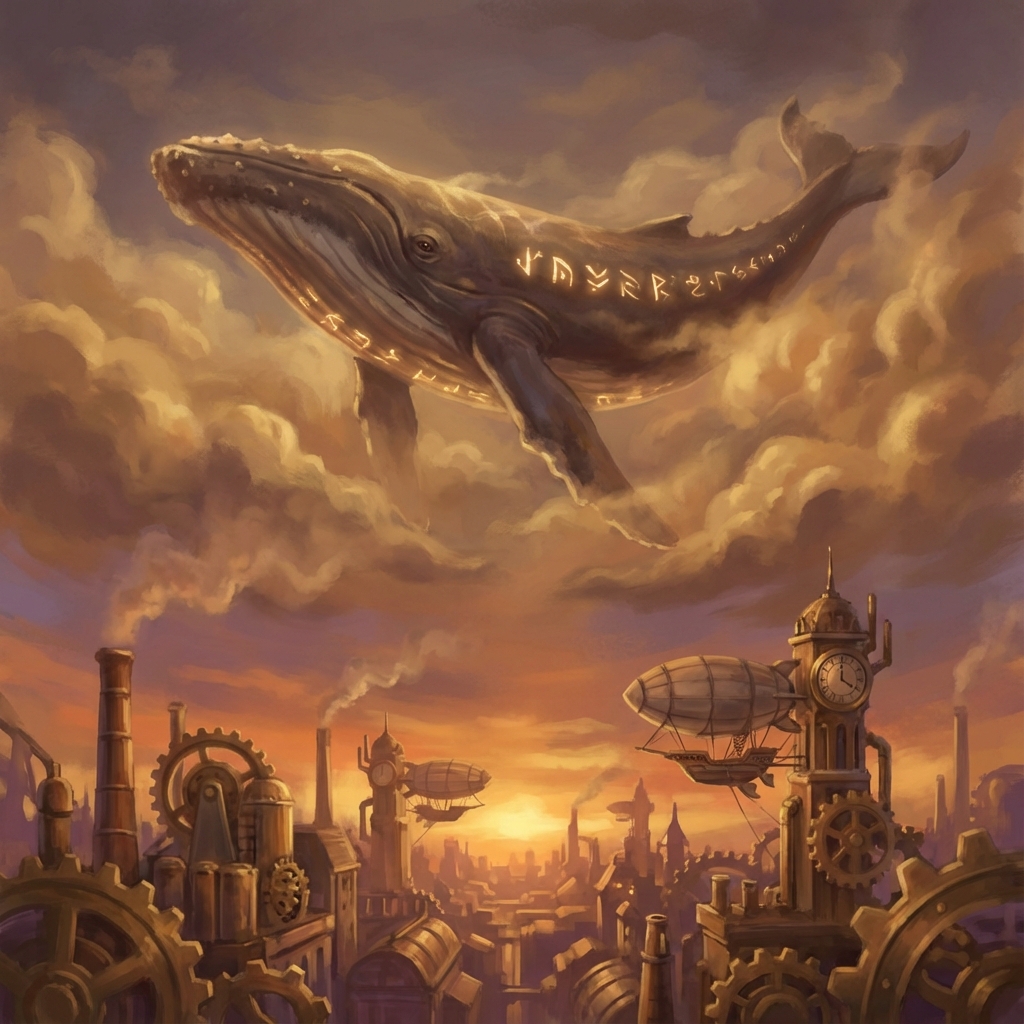
a giant whale floating in the sky above a steampunk city, golden clouds, dreamlike atmosphere, surrealism, intricate details, oil painting style --w 1024 --h 1024
Case Study 2: Composition Control (The 'Break' Technique)
By using the BREAK keyword, we can separate the subject description from the style/mood settings, ensuring the artistic style doesn't interfere with the subject details (e.g., the glasses and cap remain distinct).

a white fluffy dog wearing round glasses and a blue cap BREAK artistic painting style, warm color palette, simple background, soft lighting, shallow depth of field
SDXL Troubleshooting
Why is my image cropped or duplicated?
You are likely using the wrong resolution. SDXL hates random sizes (like 512x512). Always use the 'Buckets': 1024x1024, 1152x896, 1216x832, 1344x768, 1536x640. Stick to these for coherent images.
What is the 'Refiner'?
The Refiner is a second model designed to run after the base model to clean up noise. However, many modern workflows (and ImgtoPrompt) optimize the Base model prompt so well that the Refiner is often unnecessary. We focus on getting the Base prompt right.
Can I use 'Danbooru' tags?
Yes! Unlike Midjourney, SDXL recognizes popular image board tags (like 1girl, upper_body, looking_at_viewer). Mixing these with natural language is often the most powerful way to prompt.
Continue Exploring
Engineer Your SDXL Prompts
Don't waste credits guessing weights and syntax. Upload your reference image, and let us construct the perfect, weight-balanced SDXL prompt for you.
Auto-Generate SDXL Prompt