
DALL·E 3 提示词指南:掌握概念艺术家
DALL·E 3 不仅仅是一个生成器;它是一个“重写者”。它在幕后获取你的提示词并对其进行更改。要掌握 DALL·E,你需要学习如何对其安全系统说话,如何使用 'Gen_ID' 保持角色一致,以及如何创建复杂场景而不让 AI 感到困惑。
上传图片 → 获取 DALL·E 提示词DALL·E 3 实际如何工作:“重写者”
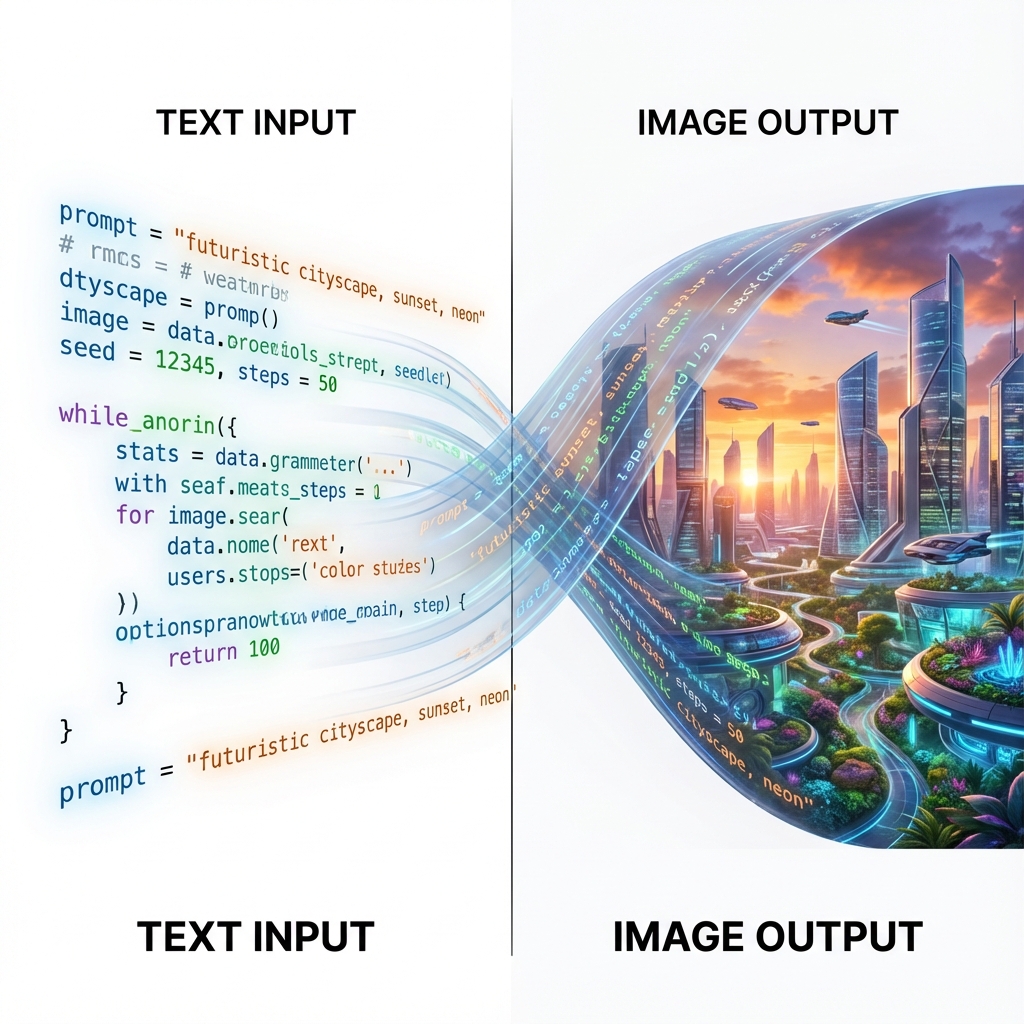
大多数用户不知道 DALL·E 3 很少使用你的确切提示词。相反,它将你的文本传递给 GPT-4,后者将其“重写”为更具描述性且符合安全规范的文本。这就是为什么像“一只很酷的猫”这样的短提示词会在结果中产生一段描述的原因。
要控制 DALL·E,你必须成为一名“导演”,向重写者发出指令,而不仅仅是向图像生成器发出指令。你需要通过检查修改后的提示词来验证 DALL·E 实际写了什么,然后改进你的指令以防止它添加不需要的细节。它擅长遵循自然语言指令,但在处理负向约束时会很吃力。
DALL·E 3 参数
| 参数 | 值 | 描述 |
|---|---|---|
| 纵横比 (Aspect Ratio) | 1024x1024, 1792x1024, 1024x1792 | 使用宽屏 (1792x1024) 用于电影场景,竖屏 (1024x1792) 用于移动端海报。 |
| 风格 (Style) | vivid / natural | 'Vivid' 创造超现实、色彩冲击力强的颜色。'Natural' 更适合逼真照片。 |
| 质量 (Quality) | standard / hd | 最终导出时始终使用 'hd'。它能增加纹理和文本的细节。 |
工作流:对话循环
- 描述性核心:写一个完整的句子。DALL·E 喜欢 'A wide angle photo of...' 而不仅仅是标签。
- 安全检查:确保你的提示词避免敏感词汇。如果 DALL·E 拦截了它,它通常不会告诉你原因。保持词汇中性。
- “我不做”陷阱:DALL·E 不擅长具体的负向命令,如 'no blue'。相反,描述替代方案:'Make the sky orange'。
- 修订:如果风格不对,具体告诉它:'Use a flat vector art style with no gradients'。它能完美理解艺术指导。
DALL·E 3 提示词机制
角色一致性黑客 (Gen_ID)
Positive
Formula: [Prompt] ... (Generation 后获取 Gen_ID). Next Prompt: [New Scene] + 'referenced_image_ids': ['[Gen_ID]'] 原理:DALL·E 为每张图像生成一个唯一的 ID。如果你喜欢你创造的角色,你可以询问 ChatGPT 它的 'Gen_ID',并在下一个提示词中引用它,以保持面部/风格一致(此功能可通过 API 和 ChatGPT 使用)。
文本渲染器
Positive
Formula: A sign that says "[YOUR TEXT]". The text is written in [Font Style] on a [Material]. 原理:DALL·E 3 是文本之王。关键是将你的文本放在双引号中,并描述字体和表面。不仅要说 'text',要说 'neon tube text' 或 'chiseled stone text'。 Example: 'A futuristic neon sign saying "OPEN" in pink cursive script on a wet brick wall.'
分屏
Positive
Formula: A wide image split into two panels. Left panel: [Scene A]. Right panel: [Scene B]. Distinct separation line. 原理:DALL·E 非常理解空间指令。你可以通过描述面板布局来创建前后对比、连环画或多角度视图。
DALL·E 3 案例研究
案例研究 1:氛围与光照
DALL·E 可以渲染复杂的大气光照,同时保持主要主体(标志)清晰可辨。
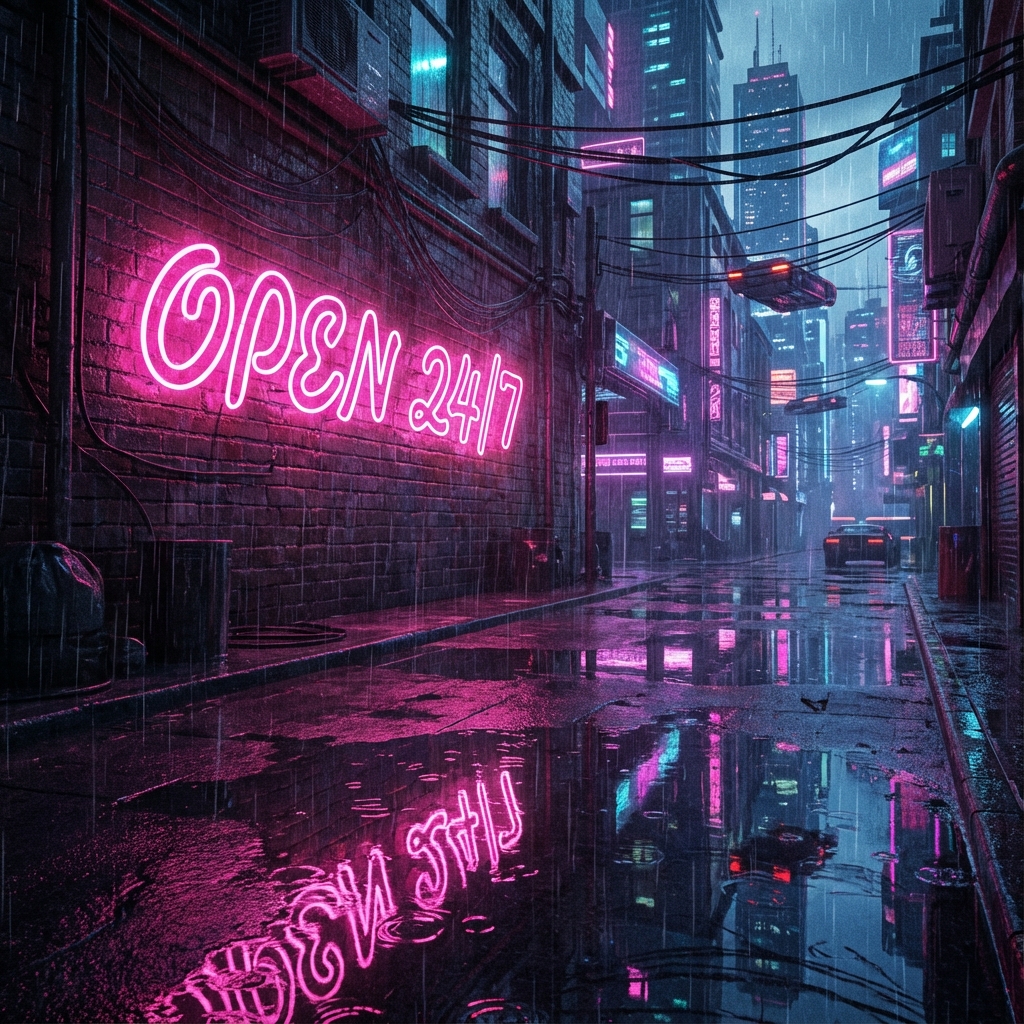
A futuristic neon sign saying 'OPEN 24/7' in pink cursive script on a wet brick wall. Cyberpunk atmosphere, reflection in puddles.
案例研究 2:概念超现实主义
DALL·E 擅长需要“理解”物体间关系的视觉概念,比如这个超现实的建筑剖面图。
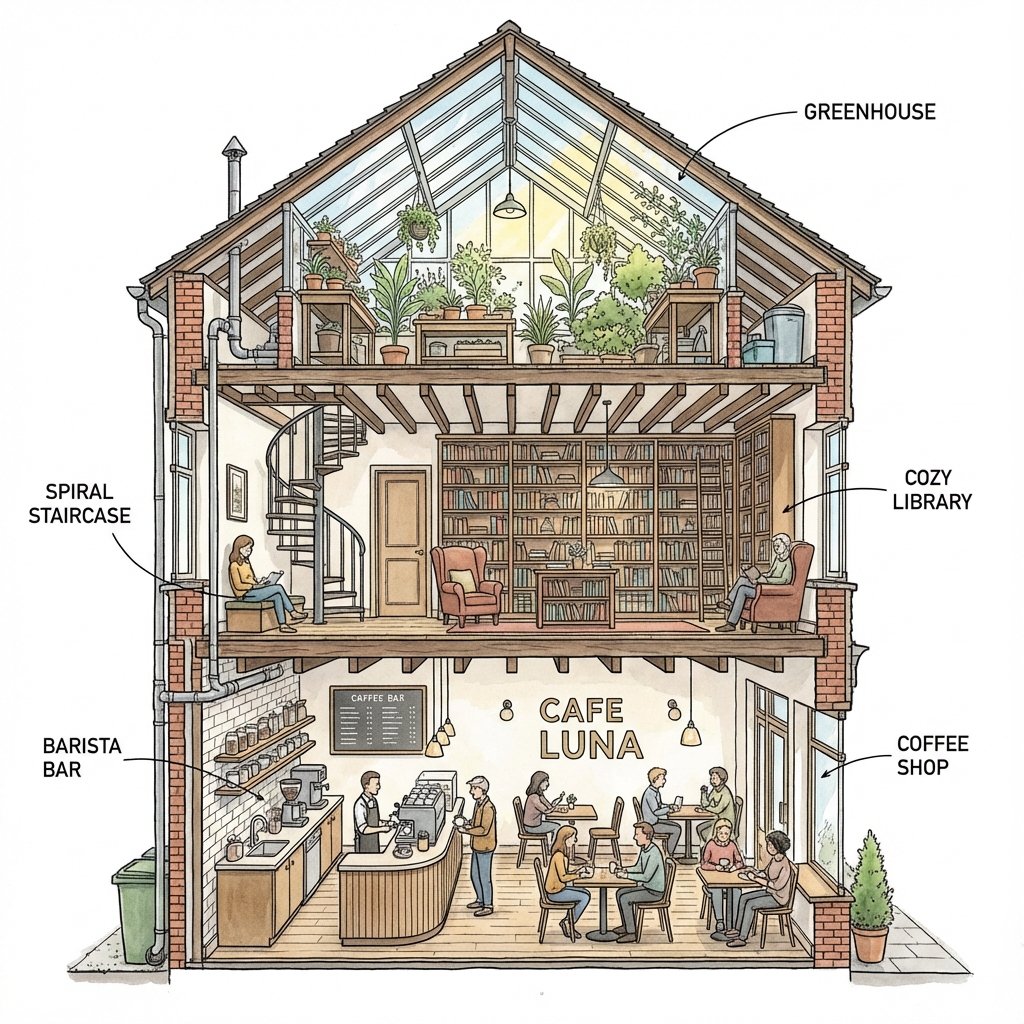
A cross-section diagram of a house. The ground floor is a coffee shop, the second floor is a library, and the attic is a greenhouse. Detailed architectural style.
DALL·E 3 常见问题
为什么 DALL·E 改变了我的提示词?
它使用内部“重写者”来提高提示词的依从性和安全性。在 ChatGPT 中,你有时候可以说“完全按原样使用我的提示词”来绕过它,但重写通常有助于提高质量。
我可以编辑图像(重绘)吗?
是的,DALL·E 支持编辑。你可以选择一个区域并描述严格的更改。ImgtoPrompt 自动将不安全的品牌转化为视觉描述。
如何阻止它生成受版权保护的角色?
DALL·E 有严格的过滤器。与其要求 'Spider-Man',不如描述视觉特征:'A superhero in a red and blue spandex suit with a web pattern'。ImgtoPrompt 自动将不安全的品牌转化为视觉描述。
继续探索
精通 DALL·E 3 提示词
DALL·E 需要的是导演,而不是标签员。上传你的图像,获取 DALL·E 能够完美理解的高质量、叙事驱动的提示词。
生成 DALL·E 叙事